
Connect ParcelParcel/LetMeShip Next inside Claude or ChatGPT.
Connect ParcelParcel or LetMeShip Next to your AI assistant and handle shipping right in the chat: compare rates, book, get labels, track shipments, and estimate duties & taxes.
Note: this is a beta. If something doesn't work as expected, let us know via support.
You only need one thing — this server URL:
ParcelParcel
https://services.parcelparcel.com/mcpLetMeShip Next
https://services.letmeship.com/mcpIn ChatGPT
Important: you first need to turn on "Developer mode" in ChatGPT — otherwise you can't add a custom connector.
- Click your workspace (bottom left) → Settings.
- Go to Security and login.
- Turn on the Developer mode toggle. (ChatGPT shows an "elevated risk" warning — that's normal for custom connectors.)
- Then go to Plugins / Connectors (or open directly: https://chatgpt.com/plugins#settings/Connectors?create-connector=true).
- Click New plugin / Add connector.
- Fill in:
-
Name: ParcelParcel or LetMeShip Next
-
Connection: Server URL
-
Use one of the URLs below depending on which platform you're using👇
ParcelParcel
https://services.parcelparcel.com/mcpLetMeShip Next
https://services.letmeship.com/mcp
- Authentication: OAuth
-
- Tick "I understand and want to continue" and click Create.
- Click Connect → Sign in with ParcelParcel/LetMeShip Next and log in with your ParcelParcel/LetMeShip Next account.
- Click Approve to grant access. Done!
Now try asking, for example: "Where is my latest shipment?"
In Claude
Who can connect?
- Individual accounts (Pro/Max): you can add and authorise the connector yourself.
- Team/Enterprise: an Organisation Owner must add the connector organisation-wide first; after that, everyone can connect.
Steps:
- Open Claude and click Settings.
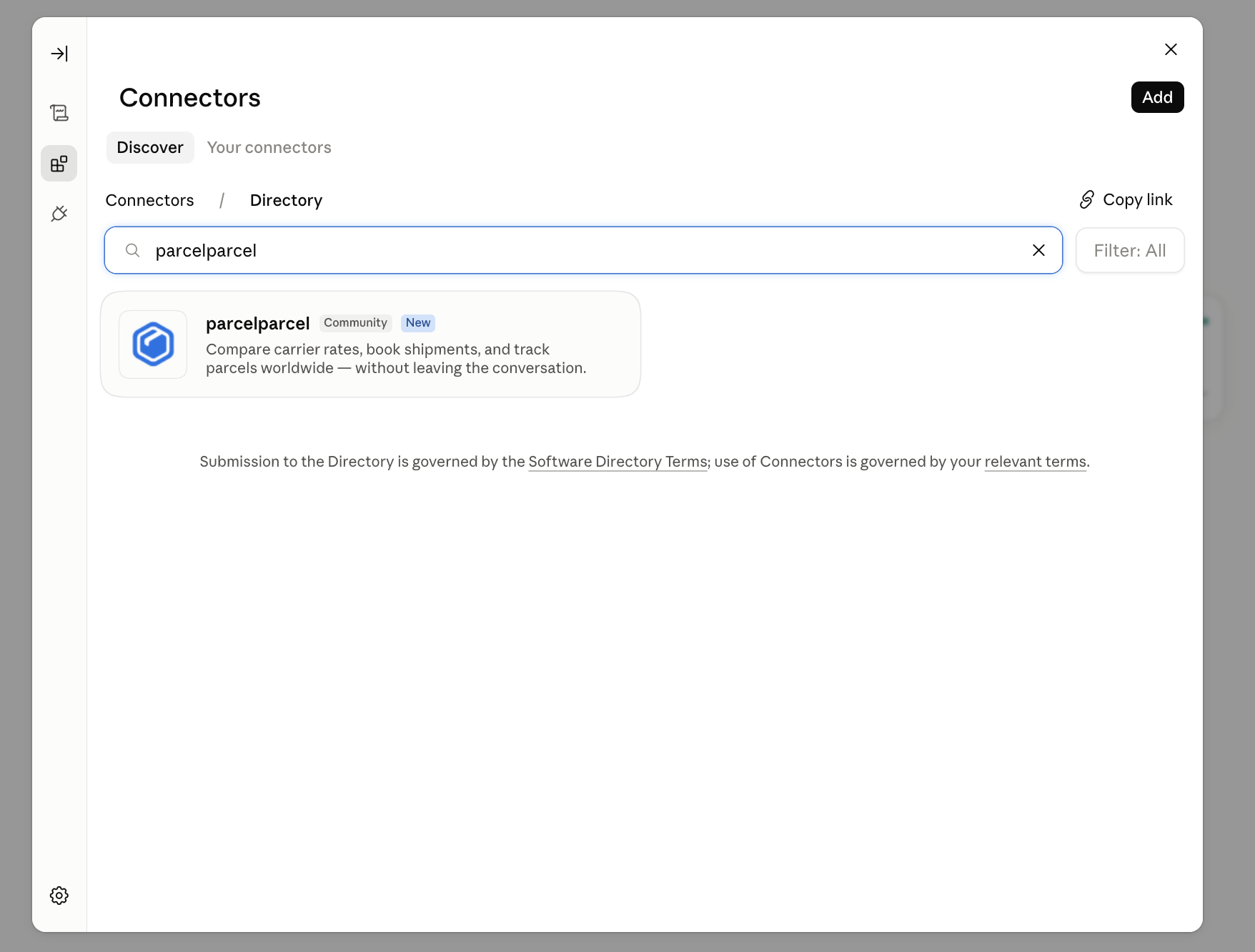
- Go to Connectors → Discover.
- Search for "ParcelParcel" and click Add on the ParcelParcel connector.
- Log in with your ParcelParcel account and approve access.
- Done! Try asking, for example: "Compare shipping options to Germany for a 2 kg parcel."
Tip — per-tool permissions: in Claude you can set each action to Always Allow, Needs Approval, or Never Allow. Set "book" to Needs Approval so Claude always asks you to confirm before anything is actually booked.
Claude Code
Add the server from the terminal:
claude mcp add --transport http parcelparcel https://services.parcelparcel.com/mcpTo make it available across all your projects (instead of just the current one), add --scope user:
claude mcp add --transport http parcelparcel https://services.parcelparcel.com/mcp --scope userRun /mcp inside a Claude Code session to authenticate and confirm the parcelparcel server is connected.
Fallback: manual setup (if ParcelParcel doesn't show up in Discover)
- Open Claude and click Settings.
- Go to Connectors → Add custom connector.
- Paste this URL, then confirm:
https://services.parcelparcel.com/mcp- Log in with your ParcelParcel account and approve access.
What you can ask
- Compare shipping options and rates
- Book a shipment (or first create a draft)
- Get labels
- Track shipments
- Estimate duties and taxes
- Find earlier shipments
You're always in control: the assistant asks you to confirm before anything is actually booked.
If you have any questions, feedback, or run into issues with our MCP, feel free to reach out to us at [email protected] or [email protected].